Documentation for the latest CamBam release is available here...
User Interface
This section introduces parts of the CamBam user interface and explains some terminology used.
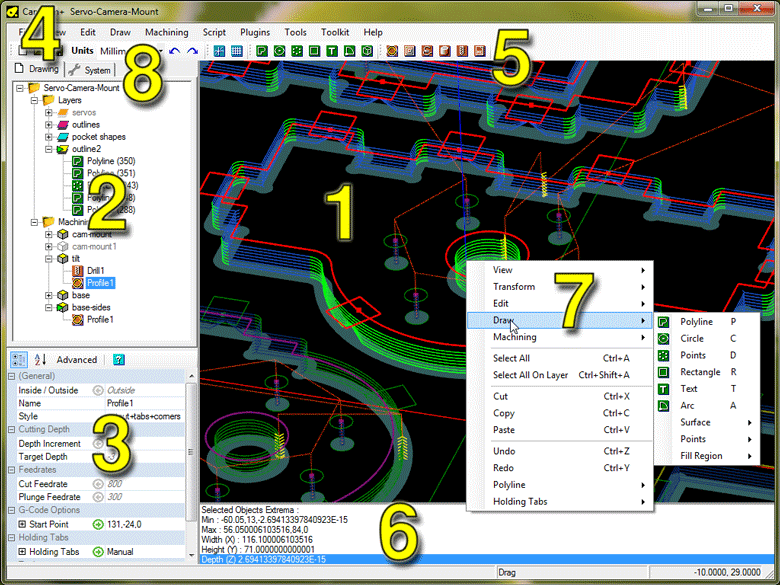
1. Main Drawing Window
3D View of the current drawing and toolpaths.
|
5. Tool Bar
Short cuts to commonly used tools and settings.
|
2. Drawing Tree View
Shows all layers, drawing objects and machining operations (mops) in the current drawing.
|
6. Message Window
Errors, warnings and informational messages are displayed here.
|
3. Object Property Window
Display and edit properties of objects that are selected in the drawing window or drawing tree.
|
7. Drawing Context Menu
Menu for commonly used routines and operations applicable to selected objects.
|
4. Main Menu Bar
Main menus for the application.
|
8. System Tab
Provides access to settings common to all drawings such as general configuration settings,
tool libraries, machining styles and post processors.
|